
5 Ways Requirements Are Communicated To A Technology Team
For this exercise, we will use the example of creating an appointment booking application on a website.
#1 Descriptions
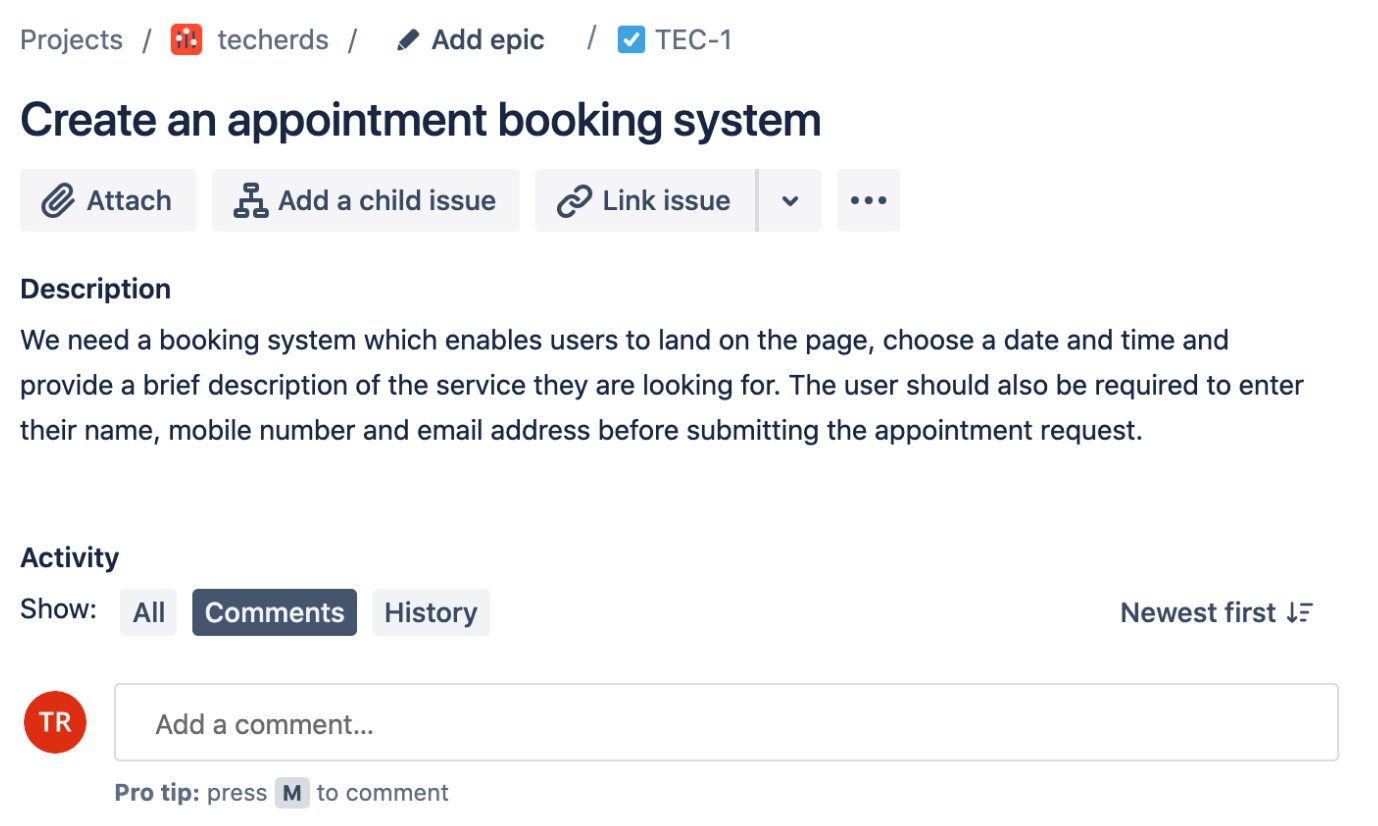
This is the worst way to communicate a set of requirements and if you find a company relying solely on this you can be sure it’s got plenty of other problems. Using our appointment booking scenario you might find something along the lines of;
#2 Wireframes
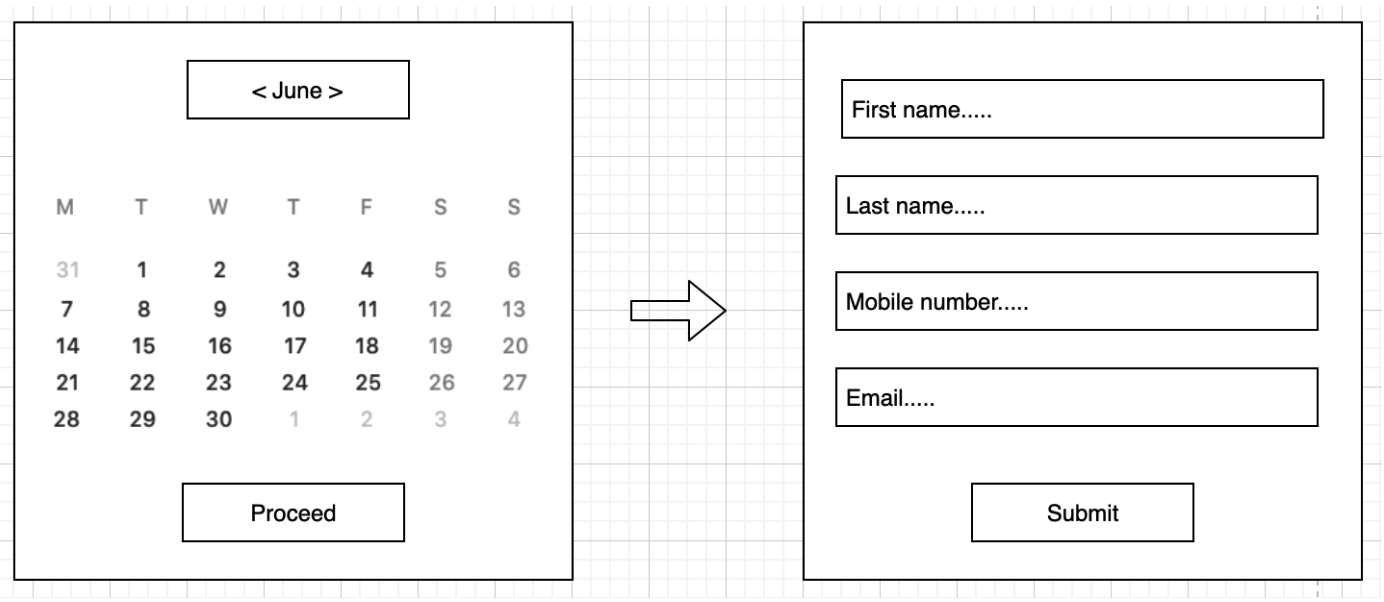
Wireframes are the simpleton little brother of designs. Consider them to be low-fi illustrations of what the piece of work should look like. They are most useful for teams who understand the style guide they are supposed to work within and just require some direction about the specific layout. Combined with a description, this is often a very adequate way to communicate requirements to a team. For our appointment booking example, you might find something such as;
#3 Designs
Design is not my forte so I’m going to rely on this example from dribble.com for a good example of this.
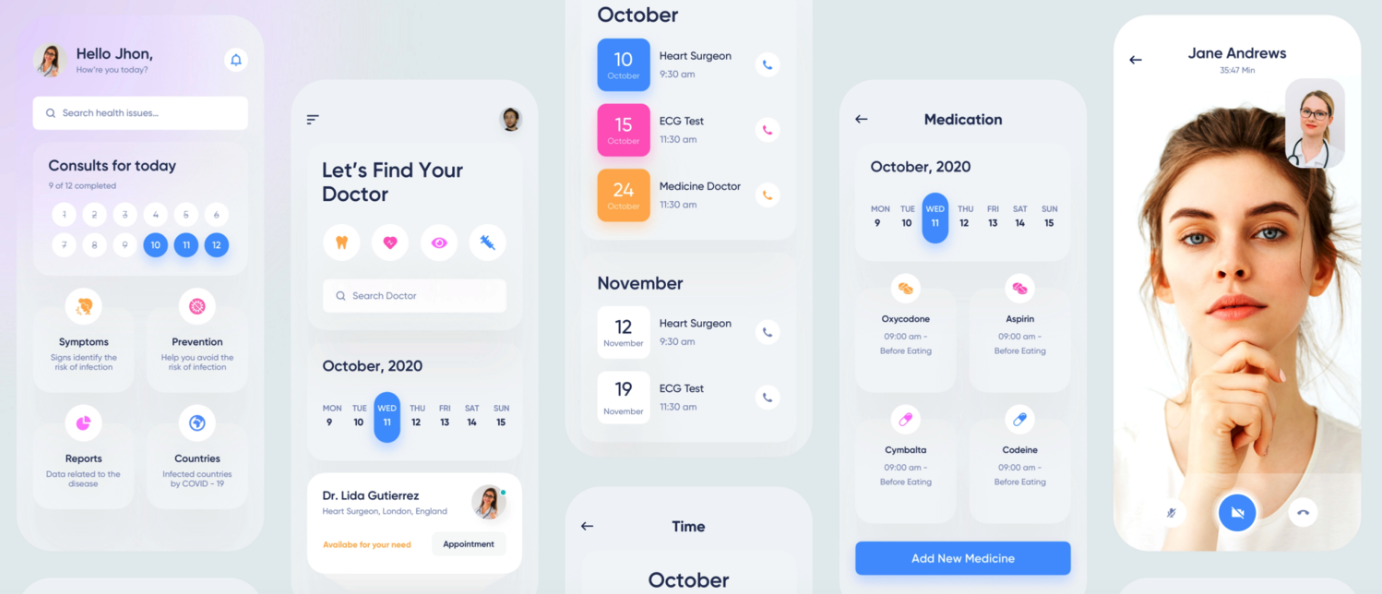
As with a wireframe, a design without some supporting instructions is usually not enough. But from a team’s perspective, it does make understanding the more subtle elements of the requirement much easier to understand.
#4 User Stories
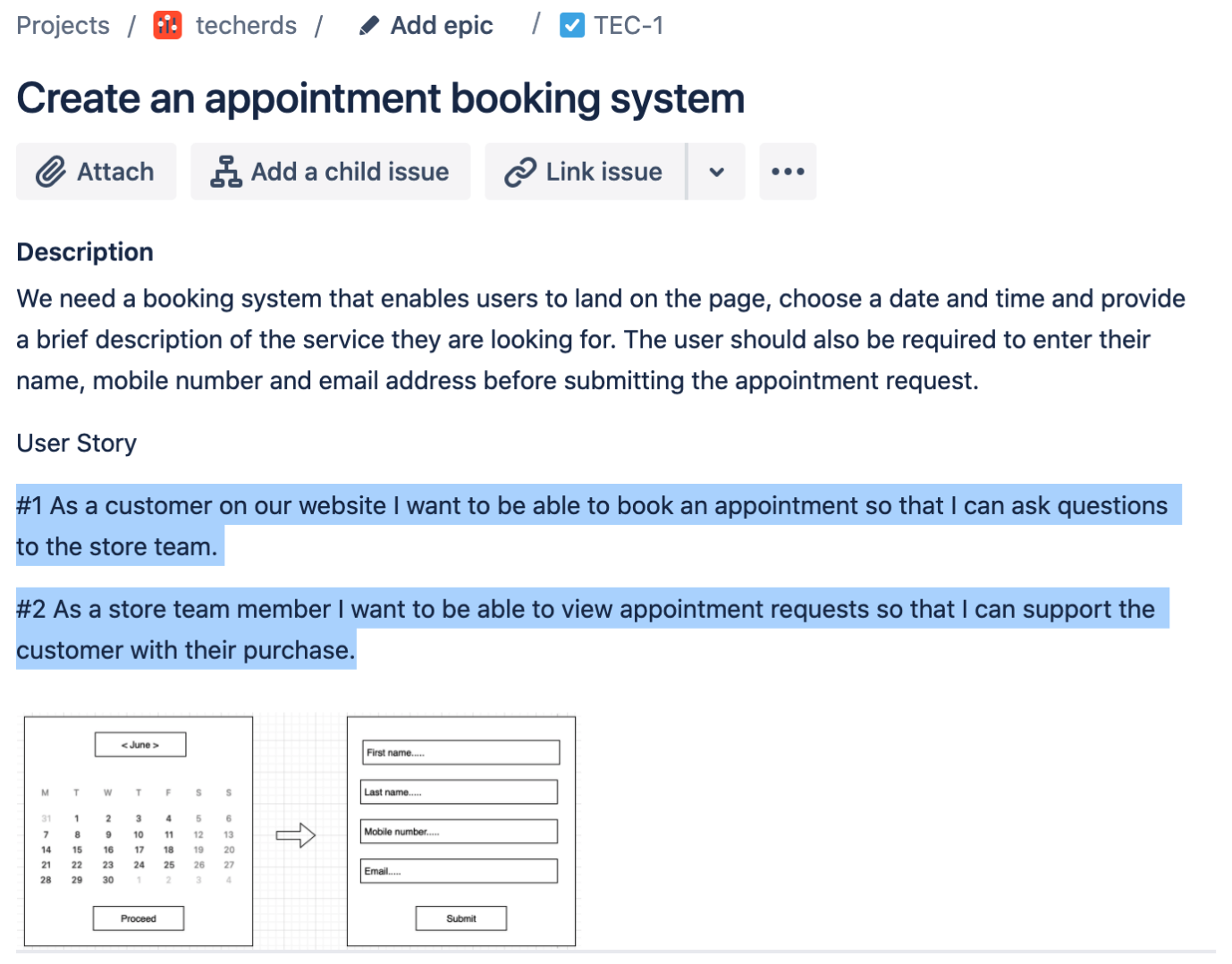
User stories are essentially descriptions. They are formatted in such a way that the reader should understand why they are building, what they are building and the value to the end-user they are providing.
#5 Acceptance Criteria
Acceptance Criteria usually go hand in hand with user stories. A single user story may have several associated acceptance criteria. Taking our first user story example;
As a customer on our website, I want to be able to book an appointment so that I can ask questions to the store team.
You may find some acceptance criteria included which look as follows;
#a
Given I am on the website
When I go to the menu
And I click on the appointment CTA
Then I land on the appointment page
#b
Given I am on the appointment page
And I have not selected a date
When I click submit
Then I am presented with an error message
#c
Given I have filled in all fields on the appointment form
When I click submit
Then I am taken to the next step